Now live on Google Play
Create, import, and write Ricoh GR recipes.
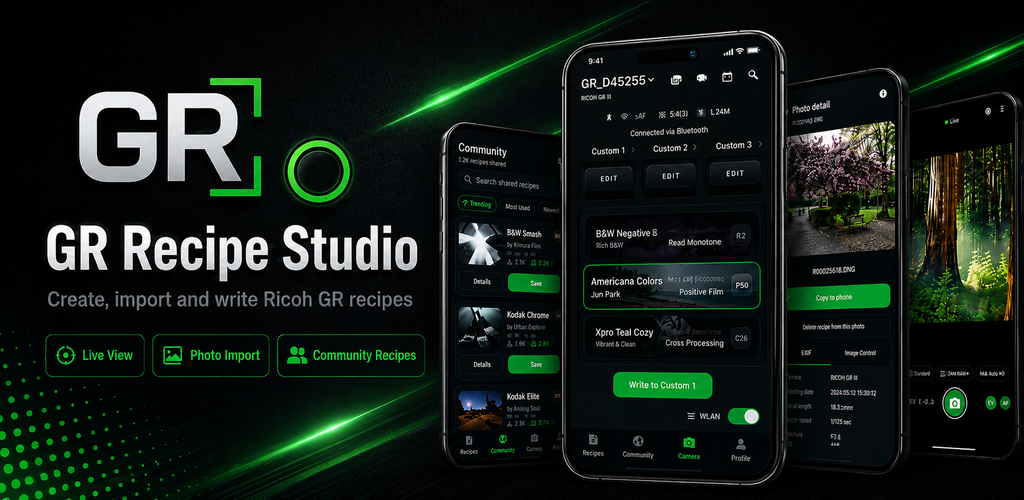
GR Recipe Studio helps Ricoh GR photographers build image-control recipes, browse community looks, import camera photos, use Live View, and write selected recipes back to compatible cameras.
Built for GR workflows
One place for recipes, camera tools, and shared looks.
Build authentic GR recipes
Edit image-control settings such as effect, contrast, saturation, highlight, shadow, sharpness, clarity, white balance, and custom slots.
Browse community recipes
Save editable copies from other photographers, follow creators, and publish your own recipes when you choose to sign in.
Use camera workflows
Pair compatible Ricoh GR cameras, use Live View on supported models, import photos, and write selected recipes over Bluetooth Low Energy.
Turn photos into recipes
Copy camera photos to your phone and create editable recipes from embedded image-control metadata where available.
Privacy conscious
Local-first by default.
Private recipes stay on your device unless you explicitly publish them to Community. Location sync is optional and sends GPS data only to your paired camera over Bluetooth for photo tagging.
Camera, Bluetooth, photo, storage, crash reporting, analytics, and community account data are explained in the privacy policy.
Read the privacy policy Account deletion information